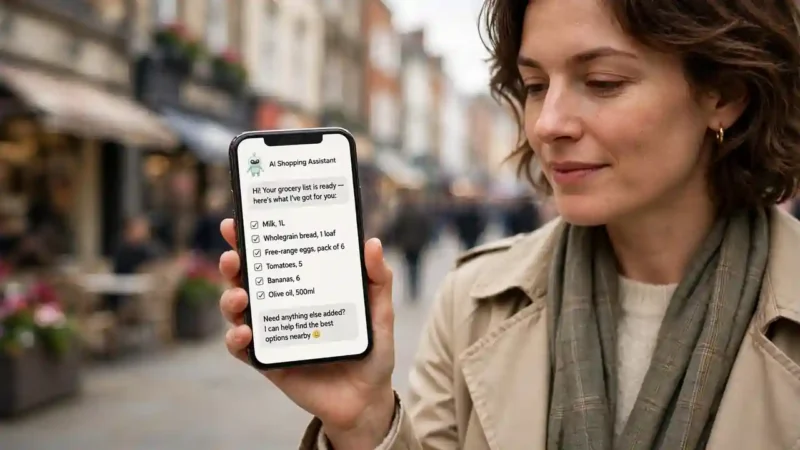
OpenAI has given ChatGPT a way to pay. On 13 November 2026, the company introduced ChatGPT Wallet, a payment feature that lets its always on agents, called dots, complete a purchase on your behalf. You add a card once, review each order, and approve it with a face or fingerprint check. The agent and the store never see your real card number. The launch is small. It reaches a limited group of ChatGPT Pro subscribers in the United States who are 18 or older, and it works only inside a conversation with a dot. This article explains what it does, how a purchase works, who can use it now, and where it still falls short.
What ChatGPT Wallet is
ChatGPT Wallet is a payment feature that lets an OpenAI agent called a dot pay for a purchase you approve. You save an eligible credit card once, and the agent shops and checks out for you. Your real card number stays hidden. OpenAI launched it on 13 November 2026 for a limited group of United States Pro subscribers.
ChatGPT Wallet is not a bank account, and it is not a stored balance. OpenAI describes it as a secure way for a dot to pay on your behalf, using a card you already own. The wallet stores your card details and turns them into a payment token at checkout. The charge lands on your selected card, and your card issuer still handles the payment.
The feature builds on dots, the personal agents OpenAI introduced on 29 September 2026. A dot runs in its own cloud computer and browser, so it can open a store website, fill a cart, and walk through checkout. Before ChatGPT Wallet, a dot could help you research a product and compare options, but it stopped at the payment step. The wallet closes that gap, and it turns ChatGPT from a shopping helper into a tool that can finish the purchase. The same agent work sits behind GPT-5.

A purchase in four steps: request, review, biometric check, checkout
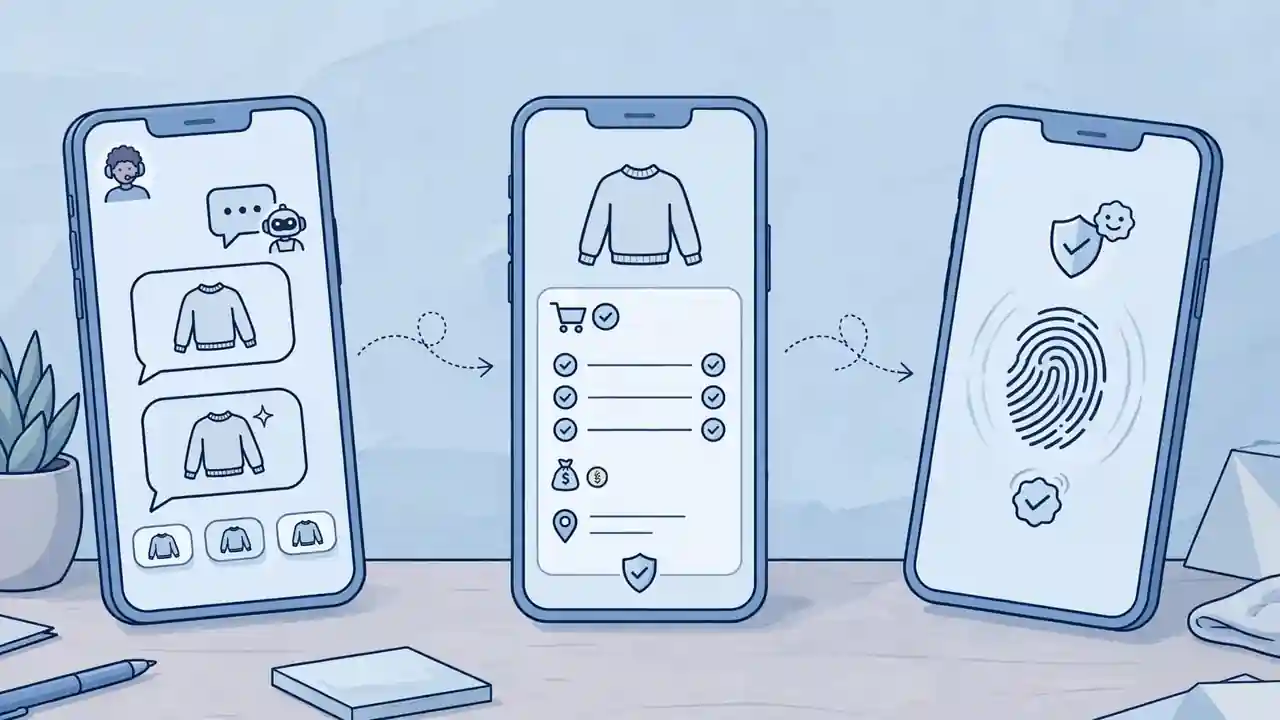
A purchase starts with a request to your dot, then a review screen, then a biometric approval, and then checkout through the store. You add your card once. After that, the dot finds the item, shows you the merchant, the items, the total, and the card, and waits for your approval before it pays.
The flow has four clear stages. First, you ask your dot for help with a purchase, for example a new sweater or a hotel for a trip to Chicago next weekend. OpenAI uses both of those examples in its help center guide. Second, your dot finds the item and prepares the order. Third, you review the merchant, the items, the total, and the selected card. Fourth, you select approve and complete a biometric check, such as Face ID or Touch ID. Your dot then continues checkout and reports the result.
Approval is the control that makes the rest of the system work. The agent can shop, but it cannot pay without you, and there is no way to switch the check off in the current version. If the items are wrong or the merchant is not one you recognize, decline the request. After approval, you need to contact the merchant to cancel a completed order.
Two details deserve attention. The first is that approval is not the same as an order confirmation. OpenAI states that approval alone does not confirm an order. If the result is unclear, check for a merchant confirmation before you try again. The second is that the dot uses a virtual card number linked to your selected card to complete checkout, so the receipt may show a different number.
Who can use ChatGPT Wallet right now
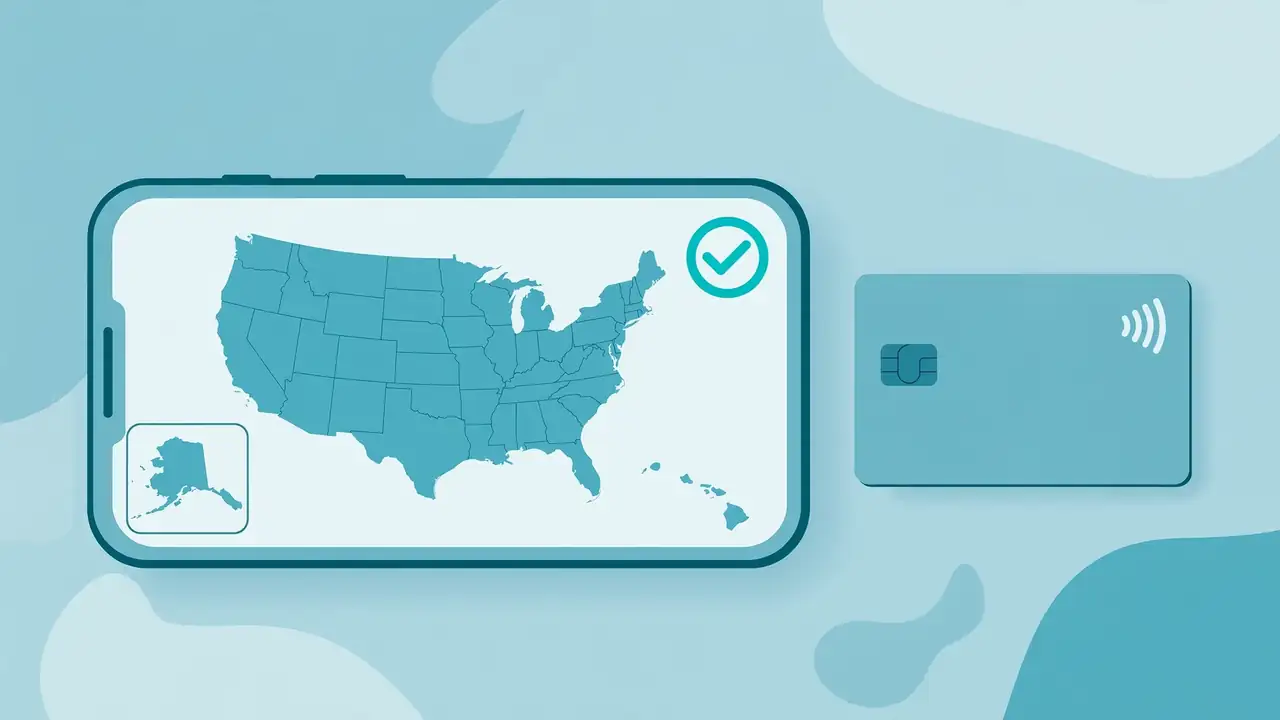
ChatGPT Wallet is available only to a limited group of ChatGPT Pro subscribers in the United States who are 18 or older. You also need an eligible United States issued card and a United States billing address, and you need to set up a dot first. OpenAI has not announced a date for wider access.
The limits are strict. You need a Pro subscription, which OpenAI now sells in three monthly tiers at 100, 200, and 500 dollars. That puts the wallet out of reach for free and Plus users for now. You need to live in the United States, and your card needs a United States billing address. You need to be 18 or older. OpenAI’s wallet privacy notice states that the wallet is intended for adults in the United States and is not available to anyone under 18.
Access is also gradual inside that small group. Even an eligible Pro user in the United States might not have access yet. When it becomes available on your account, you can ask your dot to help you add a card.
Which cards work and which do not
ChatGPT Wallet accepts eligible United States issued American Express, Chase, Mastercard, and Visa credit cards. Debit cards do not work, and virtual cards cannot be added at launch. Your bank may ask you to verify the card during setup, and Chase cards need an extra step in the Chase app.
The card rules come straight from OpenAI’s help center, and they are narrower than many people will expect. The wallet takes credit cards only. OpenAI states plainly that it does not support debit cards. Virtual cards are not supported at launch either, which is separate from the virtual card number the wallet itself creates at checkout.
Chase cards carry an extra step. You must be the primary cardholder, not an authorized user, and you must approve the connection in the Chase mobile app. If you are using a computer, you scan a QR code with your phone, approve in the Chase app, and then return to the wallet to finish setup. OpenAI warns never to enter verification codes in chat or in a support message.

How the payment token keeps card details private
After you approve a purchase, the payment network provides a payment token with its own card number, security code, and expiration date. The charge goes to your selected card, but the agent and the business never receive your actual card details. That token is the core idea behind the wallet.
A token is a substitute for your real card details. When you approve a purchase, the payment network issues a token that the store can process through its normal checkout. The dot enters that token into the merchant’s checkout form, and the payment is charged to your card. Neither the dot nor the merchant sees your actual card number, security code, or expiration date.
OpenAI built the wallet in partnership with American Express, Chase, Mastercard, and Visa. Those networks supply the tokens, and they bring their own fraud checks to each transaction. OpenAI says users keep their card’s existing rewards and protections for eligible disputes, for example when an item is defective. The wallet does not replace your card’s protections. It sits on top of them.

What happens if a purchase fails or an order goes wrong
A failed checkout does not always mean the order failed, and an approved purchase does not always mean the order went through. Check for a merchant confirmation first, then contact the merchant or your card issuer, depending on the problem. OpenAI is open about the fact that the wallet will not work at every store.
The help center states that the wallet may not be able to complete checkout at every store. If a purchase fails, check for a merchant order confirmation before you try another payment method. A conversation error alone does not confirm the order status. If you see a pending charge, ask your card issuer when the hold may clear.
The help center splits problems into three groups. For order status, cancellations, returns, or refunds, contact the merchant using the details on its receipt or website. For declined, pending, disputed, or unrecognized charges, contact your card issuer, and report an unrecognized charge promptly. For wallet errors or a purchase that differs from what you approved, contact OpenAI Support.

What stores need to change for agent purchases
Stores do not need a new checkout system, but they do need to stop blocking agent traffic by accident. OpenAI says the wallet works with existing checkout pages and payment forms, and it published a Commerce Partner Playbook to help businesses get ready for agent led shopping.
The playbook is the other half of the launch. Alongside ChatGPT Wallet, OpenAI published guidance for businesses that want to serve customers who use agents. The central point is simple. ChatGPT Wallet works out of the box with existing checkout pages and payment forms, and no wallet specific integration is required, according to OpenAI’s developer guidance on accepting payments. A store does not need to rebuild its checkout to accept a wallet payment. The payment arrives as a normal card payment, using a network token.
The problem is on the security side. Many websites use bot detection, firewalls, and fraud systems that treat automated browsers as a threat. A dot uses a cloud browser, and that browser can set off those systems by accident. The result is a declined or cancelled purchase that the customer did nothing wrong to cause. OpenAI asks businesses to configure their content delivery network or firewall to recognize signed requests using Web Bot Auth. It is also working with fraud prevention partners Forter, Riskified, Sardine, and Signifyd, and with payment service providers Adyen, Checkout.com, and Stripe.

What OpenAI plans next for delegated buying
OpenAI plans to let users set spending limits, purchase categories, and time periods so an agent can buy within those rules without approving each order. That change is planned, not live, and OpenAI has given no date for it. The current version still needs your biometric check for every purchase.
The future plan changes the role of approval. Today, every purchase needs your biometric check. Tomorrow, OpenAI expects users to be able to delegate purchases entirely to their agent by setting clear parameters, such as spending limits, purchase categories, or time periods, and pre-approve those purchases with safeguards that build on today’s protections, including biometric checks and clear records of authorization.
That shift would turn ChatGPT Wallet from a supervised checkout tool into a standing instruction. You might let a dot reorder household goods under 50 dollars, for example, while still requiring approval for anything larger. OpenAI has not said which limits will be available first, how the safeguards will work, or when the change will arrive. Until it does, the safe way to read the plan is as a direction, not a promise with a date. The current version is the supervised one, and any future version will need to prove that its limits hold in practice.

How ChatGPT Wallet fits the wider move to agent shopping
ChatGPT Wallet is one step in a wider move toward agents that can shop and pay, and it arrives as other companies build the same kind of system. Its test will be whether stores accept agent payments and whether users trust an agent with their card.
OpenAI is not alone in this area. Google has built agent shopping into its own products, and payment networks have been testing agent led checkout through 2026. Google’s latest model work, covered in our article on Gemini 4 Hydrogen, shows how fast rival agents are improving, and Anthropic’s Claude Opus 4.5 adds more competition. What sets the OpenAI launch apart is a payment token, a biometric check on every purchase, and a direct link to a card people already own. OpenAI keeps shipping fast, as GPT-5.1 showed.
The limits of the launch also show how early this market is. The feature reaches only a small group of United States Pro subscribers, and some stores will block agent purchases without meaning to. TechCrunch reported that Amazon steers customers to its own assistant, which shows that the largest stores may not welcome outside agents at checkout. OpenAI is taking no cut of transactions at launch, according to CNBC, while it builds relationships with merchants and payment partners first.
For readers, the practical question is simple. If you are a United States Pro subscriber with a dot, the wallet is worth a careful look once it reaches your account. If you are not, it changes nothing for you today. It will matter more when it reaches more plans and more countries, and when stores stop blocking agent checkouts.

Can you use ChatGPT Wallet? The seven-point eligibility check
ChatGPT Wallet works only for a limited group of United States Pro subscribers who are 18 or older, with a United States issued credit card and a dot set up first. Free and Plus users, debit cards, virtual cards, and anyone outside the United States are blocked for now. Approval still needs a biometric check on every purchase.
| Requirement | What you need | What blocks you |
|---|---|---|
| Subscription | ChatGPT Pro, in three monthly tiers at $100, $200, and $500 | Free and Plus users cannot use the wallet |
| Location | United States resident with a United States billing address | Anyone outside the United States is blocked |
| Age | 18 or older | The wallet is not available to anyone under 18 |
| Card | Eligible United States issued American Express, Chase, Mastercard, or Visa credit card | Debit cards do not work; virtual cards cannot be added at launch |
| Chase cards | Primary cardholder, with approval in the Chase mobile app | Authorized users cannot add a Chase card |
| Setup | A dot set up first, and a device with biometric verification | The wallet works only in dot conversations, not in Chat, Work, or standalone Codex threads |
| Approval | Biometric check, such as Face ID or Touch ID, on every purchase | There is no way to switch the check off in the current version |
The checklist shows why the launch is small. A United States Pro subscriber with a dot and a supported credit card can try it once it reaches the account, and even then access is gradual, so an eligible user may not have it yet. Everyone else waits: no date has been announced for wider access, for free and Plus users, or for other countries. The approval check is the part that works as promised, because the agent cannot pay without it, and OpenAI says approval alone does not confirm an order, so check for a merchant confirmation before trying again. The bigger test is on the store side: bot detection and fraud systems can block a dot’s cloud browser by accident, and Amazon steers customers to its own assistant, so the largest stores may not welcome outside agents at checkout. Readers who use Google’s rival agent system can read our Gemini 4 Hydrogen guide.
Frequently asked questions
These are the questions readers ask most about ChatGPT Wallet. The answers come from OpenAI’s announcement and help center, plus reporting from TechCrunch and CNBC on 13 November 2026.
What is ChatGPT Wallet?
ChatGPT Wallet is a payment feature that lets an OpenAI agent called a dot complete a purchase on your behalf. You save an eligible credit card once, review each order, and approve it with a biometric check. The agent and the store receive a payment token instead of your real card number.
Who can use ChatGPT Wallet?
Only a limited group of ChatGPT Pro subscribers in the United States who are 18 or older can use it at launch. You need an eligible United States issued credit card and a United States billing address, and you need to set up a dot first.
Does ChatGPT Wallet cost extra?
OpenAI has not announced a separate fee for the wallet itself. You still need a ChatGPT Pro subscription, which OpenAI sells in three monthly tiers at 100, 200, and 500 dollars. CNBC reported that OpenAI is taking no cut of transactions at launch.
Does the agent see my card number?
No. After you approve a purchase, the payment network provides a payment token with its own card number, security code, and expiration date. The charge goes to your selected card, but the agent and the business never receive your actual card details.
Can I use a debit card with ChatGPT Wallet?
No. OpenAI states that ChatGPT Wallet does not support debit cards. You need an eligible United States issued credit card from American Express, Chase, Mastercard, or Visa. Virtual cards cannot be added at launch.
Does ChatGPT Wallet work in regular ChatGPT chats?
No. The wallet works only in conversations with your dot. OpenAI states that it is not available in Chat, Work, or standalone Codex threads. You need to set up a dot first, and approval needs a supported device with biometric verification.
What should I do if my order fails after I approve it?
Check for a merchant order confirmation first, before you try to pay again. Contact the merchant for order status, returns, or refunds. Contact your card issuer for declined, pending, disputed, or unrecognized charges. Contact OpenAI Support only for wallet errors or a purchase that differs from what you approved.