Fedora Linux 45 arrived on November 3, 2026, according to the Fedora Magazine announcement. Workstation moves to GNOME 51, the KDE Plasma edition moves to Plasma 6.8, the installer gains Stratis storage support, and several security defaults get stricter. This guide covers what changed, where the earlier Plasma version confusion came from, and what to check before you install or upgrade.
Fedora Linux 45 is out: what changed at a glance
Fedora Linux 45 was announced on November 3, 2026, with GNOME 51 on Workstation, Plasma 6.8 on the KDE Plasma edition, Stratis storage in the installer, stricter package and process security, and refreshed developer tools across the release, plus new installer options for Atomic Desktops and updated editions for server and cloud users.

The Fedora Magazine announcement describes desktop upgrades and new installer features and updated toolchains. Red Hat adds detail on the editions, security changes and developer stack.
The release covers Workstation, KDE Plasma Desktop, Server, Cloud, CoreOS and IoT, plus Atomic Desktops such as Silverblue, Kinoite and Sericea, and community Spins such as Cinnamon, Xfce, MATE and COSMIC. If you already run Fedora, the project points you to its upgrade documentation. If you want a clean install, it points you to getfedora.org for installation media.
Workstation gets GNOME 51
Fedora Workstation 45 ships GNOME 51, with improved XKB keymap handling under Wayland through IBus 1.5.35, better display scaling behavior, smoother session performance, and a new encapsule tool for isolated development work, with display and keymap improvements that matter most on laptops and mixed monitor setups.

Red Hat highlights three practical effects of GNOME 51. Keymap handling under Wayland improves through IBus 1.5.35, which helps users who switch layouts or use less common keyboards. Display scaling improves, which matters on high resolution laptops and mixed monitor setups. Session performance is smoother, a change you notice in daily use rather than in a feature list.
Industry coverage adds detail. How-To Geek reports smoother display animations, faster screen capture and smarter power settings, including turning off a laptop touchpad when an external mouse is connected. Linuxiac reports automatic screen rotation on compatible devices, monitor brightness remembered across sessions, warnings in GNOME Software for unmaintained applications, more detailed Flatpak permission information, and offline map downloads in GNOME Maps. Workstation also gains encapsule, a command line tool from Red Hat for running isolated development tasks and untrusted scripts inside containers rather than on the host.
KDE Plasma edition moves to Plasma 6.8, not 6.7
The final Fedora KDE Plasma Desktop edition ships Plasma 6.8, according to Red Hat, and earlier beta coverage that listed Plasma 6.7 does not describe the final release and should not be used as its version number for the final release, even where older beta articles remain online.

This section exists because the version number caused real confusion. Beta coverage, written before the final release, listed Plasma 6.7 for the KDE edition. That figure made sense at beta time, when the final Plasma series had not yet landed. The final Red Hat announcement says Plasma 6.8, and How-To Geek and Linuxiac, reporting on the final release, also give Plasma 6.8. Linuxiac gives the point release as Plasma 6.8.2.
Red Hat points to broader Wayland graphics refinements, HDR color stability, reduced input latency and tight integration with the oo7 Secrets Service layer. Linuxiac adds per screen virtual desktops, so each monitor can manage its own workspaces, plus a system tray toggle for light and dark themes, microphone testing and improved remote desktop support. Plasma 6.8 also retires native X11 desktop sessions, while X11 applications remain supported through XWayland.
Stratis storage comes to the installer
Fedora Linux 45 adds integrated Stratis storage support inside the Anaconda installer, letting users build storage pools, create dynamic filesystems, and use snapshots and encryption during installation instead of rebuilding storage by hand afterward, with Cockpit Storage available from the installer for graphical setup.
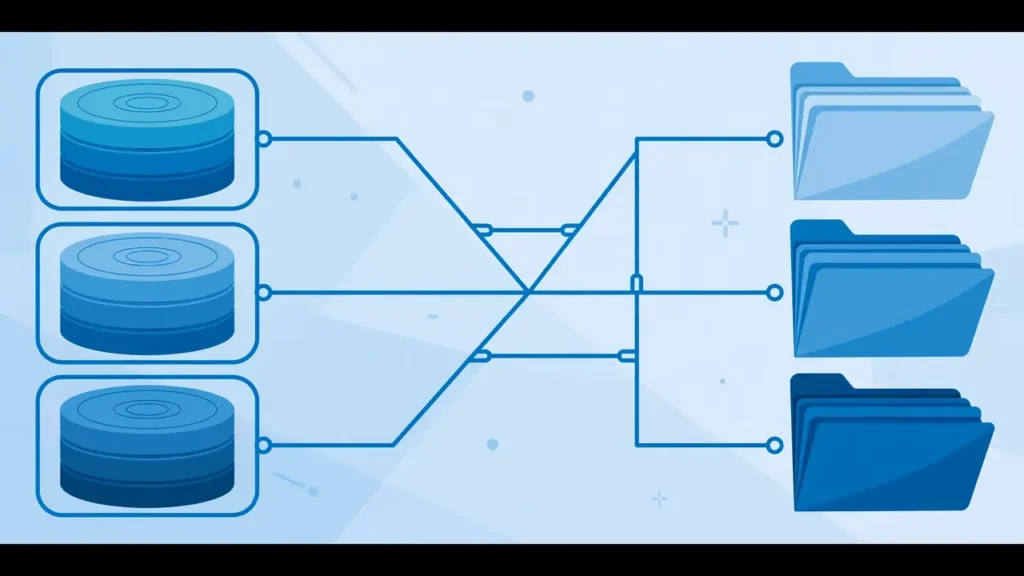
Stratis is the biggest installer story in Fedora 45, and the Fedora Magazine announcement calls it one of the biggest highlights of the release. Stratis wraps device mapper, XFS and LUKS in an easier interface, and it brings thin provisioning, storage pooling, dynamic filesystem sizing, snapshots and encryption to local storage. Thin provisioning lets a filesystem report more space than is physically allocated at first, with actual storage used as data grows.
For a graphical install, you can launch the Cockpit storage module directly from Anaconda when you choose custom partitioning. From there, you can build Stratis pools across one or more physical drives and create dynamic root and home filesystems on demand. For automated installs, Anaconda now supports a Stratis type with autopart, alongside dedicated Kickstart commands for Stratis pools and filesystems, named stratispool and stratisfs in the Fedora Magazine announcement.
Security defaults get stricter
Fedora 45 enforces RPM package signature checking by default, restricts kernel process tracing for unprivileged users, modernizes OpenPGP verification with Sequoia, and enables IPv6 mostly networking by default, according to Red Hat, plus updated authentication handling for system password tools and console changes.

Security is where Fedora 45 changes behavior in ways that can surprise scripts and old guides. Red Hat says Fedora 45 switches the default package verification mode in RPM 6.1 to enforcing signature checking. Packages now require a verified signature to install unless verification is explicitly overridden. An unsigned or badly signed package that once installed with a warning may now fail, so check third party packages and repositories before you upgrade a system that depends on them.
Kernel process tracing gets a similar tightening. Red Hat says kernel ptrace is restricted by default for unprivileged users, to guard against malware snooping on sibling tasks. When debugging or diagnostic packages are installed, normal tracing workflows are automatically restored through sysctl. Red Hat also lists OpenPGP verification with Sequoia, IPv6 mostly support under RFC 8925 in NetworkManager, and PAM routing for chpasswd and newusers. How-To Geek and Linuxiac also report that kmscon, a userspace console, replaces the traditional in kernel console fbcon, with better Unicode rendering and keyboard layout handling.
Developer tools and runtimes get a major refresh
Fedora 45 ships GCC 16.2, binutils 2.47, glibc 2.44 and GDB 17.2, plus LLVM 23, Go 1.27, Perl 5.44, Lua 5.5 and Erlang 27, giving developers current compilers and runtimes out of the box without extra repositories, and a modern Rust based secret service for desktop users.

The GNU Toolchain update is the core of the developer story. Red Hat lists GCC 16.2, binutils 2.47, glibc 2.44 and GDB 17.2, and describes the refreshed base as bringing optimizations, updated language runtime features and debugging support. Around that base, the stack includes LLVM 23, Go 1.27, Perl 5.44, Lua 5.5 and Erlang 27.
Linuxiac adds Python 3.15 and Podman 6 to the same picture, plus Pandas 3 in its report. The Fedora Magazine announcement is more general here, speaking of updated development tools and runtime libraries. Secret management also changes: Red Hat points to oo7 Secrets Service integration in the KDE edition, and Linuxiac describes oo7 as a modern Secrets Service implementation written in Rust that replaces older backends in supported configurations. Any tool that talks directly to an older backend deserves a check before a work machine is upgraded.
Server, cloud, CoreOS and Atomic desktops: what changed
Fedora Server and Cloud gain native Butane configuration support in Ignition at first boot, Atomic Desktops move to the Anaconda WebUI installer with secure remote install, and CoreOS improves memory handling with systemd-oomd and zram swap, with clearer application support on Atomic Desktops.

Server and cloud changes remove friction rather than adding visible features. Red Hat says native Butane support directly within Ignition at first boot removes the need to pre transpile YAML configurations before provisioning instances. For secure virtualization and confidential compute, Fedora 45 provides a specialized, minimal GRUB EFI package designed to boot Unified Kernel Images through the Bootloader Specification.
Atomic Desktops get a clearer installer story. Red Hat says the Atomic family, including Silverblue, Kinoite and related variants, now defaults to the modernized Anaconda WebUI installer, with secure, browser based remote installation over HTTPS using PIN based authentication. Atomic images also feature filtered Fedora Flatpak runtimes alongside verified Flathub application support. Linuxiac adds that CoreOS enables systemd-oomd and zram swap by default, and that Atomic installation images move to image builder with additional disk image formats.
What to check before you upgrade or install
Before you upgrade, back up important files, update your current system fully, check third party repositories and VPN plugins, and read the release notes and common issues for your edition before you start, and keep install media nearby until daily work is tested.

Red Hat advises users to make sure their system is fully up to date before upgrading from a previous release. Back up important files first, even if you have upgraded Fedora before without trouble. Readers who want a general backup habit can read our Android backup guide at https://technewsnest.com/android-phone-backup-before-update-reset/, which covers the habit rather than Fedora commands.
Third party software deserves a second check. Enforced RPM signature checking means packages without a verified signature will not install by default, so check any third party repository you rely on. Also check VPN software: both Fedora Magazine and Red Hat warn that NetworkManager-vpnc and NetworkManager-fortisslvpn are retiring and will be obsolete starting in Fedora Linux 45. How-To Geek and Linuxiac name OpenConnect and Libreswan as supported alternatives. Migrate those connections before you upgrade, not after you lose VPN access. Finally, Fedora Magazine points users to Ask Fedora and its common issues section for known problems and workarounds.
Who should upgrade now, and who should wait
Most current Fedora users on supported hardware can upgrade after a backup and a VPN and repository check, while users with critical work, unusual hardware or retiring VPN plugins should test first or wait briefly before moving a main machine, not as a rushed change on a deadline day.

If you run Workstation or the KDE Plasma edition on laptop or desktop hardware, and you have a backup, Fedora 45 is a reasonable upgrade. GNOME 51 and Plasma 6.8 are the current desktop series, the installer and security defaults are more modern, and the toolchain is current. Developers who want GCC 16.2, Go 1.27, LLVM 23 or Python 3.15 without extra repositories have a clear reason to move.
If your machine is critical for work, test first. Install Fedora 45 on a spare machine, a virtual machine or a second partition, and test graphics, Wi-Fi, VPN, printing and any third party application you need each day. Users with retiring VPN plugins should migrate first, and users who depend on an X11 desktop session should test, because Plasma 6.8 retires native X11 sessions while keeping X11 applications through XWayland.
How Fedora 45 fits the wider desktop and OS news cycle
Fedora 45 lands in a busy season for operating systems, with Windows, Android, iOS and Samsung releases all changing desktops and system behavior, while Fedora focuses more on Wayland, security defaults and current toolchains underneath the desktop, and why defaults deserve as much attention as headline features.

Fedora 45 is not the only operating system release readers are weighing this season. On Windows, Microsoft continues to change servicing and features, as covered in our Windows 11 25H2 guide at https://technewsnest.com/windows-11-25h2-what-changed/ and our Windows 11 23H2 Enterprise end of servicing article at https://technewsnest.com/windows-11-23h2-enterprise-end-of-servicing/. On mobile, Android 16 changed the phone platform, as covered at https://technewsnest.com/android-16-what-changed/, and Samsung built on it with One UI 8 at https://technewsnest.com/samsung-one-ui-8-what-changed/. Apple changed Siri and system intelligence in iOS 27, covered at https://technewsnest.com/ios-27-siri-ai-what-changed/.
The comparison is useful because the priorities differ. Windows and mobile releases often center on user facing features and device support, while Fedora 45 centers on the platform underneath the desktop: the installer, storage, package verification, process tracing, console and toolchain.
Frequently asked questions
When was Fedora Linux 45 released?
Fedora Linux 45 was announced on November 3, 2026, according to the Fedora Magazine announcement. Red Hat published its announcement on November 2, 2026, and updated it on November 3, 2026.
Does Fedora 45 use KDE Plasma 6.7 or Plasma 6.8?
Fedora 45 uses Plasma 6.8 in the final KDE Plasma Desktop edition, according to Red Hat. Plasma 6.7 appeared in beta coverage, but it does not describe the final release.
What desktop does Fedora Workstation 45 use?
Fedora Workstation 45 uses GNOME 51, according to Red Hat. It includes improved XKB keymap handling under Wayland through IBus 1.5.35, better display scaling and smoother session performance.
What is Stratis support in the Fedora 45 installer?
Stratis support lets the Anaconda installer build storage pools, create dynamic filesystems, use snapshots and encryption, and configure storage through Cockpit Storage during a graphical install or through Kickstart for automated installs.
What kernel does Fedora 45 use?
How-To Geek and Linuxiac, reporting on the final release, give the Linux 7.2 kernel series for Fedora 45. The Fedora Magazine announcement itself speaks more generally of recent Linux kernel releases, so this article attributes the 7.2 figure to that final release coverage.
Which VPN plugins are retiring in Fedora 45?
NetworkManager-vpnc and NetworkManager-fortisslvpn are retiring and will be obsolete starting in Fedora Linux 45, according to Fedora Magazine and Red Hat. Users should migrate those connections to supported alternatives before upgrading.
Should I upgrade to Fedora 45 right away?
Upgrade after a backup, a full update of your current system, and checks for third party repositories and retiring VPN plugins. If your work depends on unusual hardware, an X11 session or a retiring VPN plugin, test Fedora 45 first on a spare machine or virtual machine.
Sources
- Fedora Magazine, Announcing Fedora Linux 45: https://fedoramagazine.org/announcing-fedora-linux-45/
- Red Hat, Announcing Fedora 45: https://www.redhat.com/en/blog/announcing-fedora-45
- How-To Geek, Fedora 45 makes the Linux desktop better with new features and tighter security: https://www.howtogeek.com/fedora-linux-45-unveiled/
- Linuxiac, Fedora Linux 45 Officially Released, This Is What Is New: https://linuxiac.com/fedora-45-officially-released/