
Ubuntu 26.04 LTS, codenamed Resolute, is the next long term support release for desktop and server users coming from Ubuntu 24.04 LTS. For desktop users, the headline changes are GNOME 50, a Wayland only Ubuntu Desktop session, and a set of new default apps. For server users, the changes include OpenSSH 10.2 with a hybrid post quantum key exchange, Chrony as the default time daemon on new installs, and PHP 8.5. This guide covers what changed, what was removed, and what to check before you upgrade.
Ubuntu 26.04 LTS at a glance: what changed

Ubuntu 26.04 LTS is a long term support release that collects changes from the interim releases between 24.04 LTS and 26.04 LTS, plus the newest changes since 25.10, according to Canonical’s release notes. Desktop users get GNOME 50, a Wayland only session, and new default apps, while server users get updated OpenSSH, Chrony, PHP, and database packages.
Upgraders from 24.04 LTS receive more than the changes since 25.10. Canonical’s summary for LTS users explains that the move from 24.04 LTS includes everything from the interim releases 24.10, 25.04, and 25.10, as well as the final 26.04 changes. That is why the app list looks long: Firefox moves to version 150, LibreOffice moves from 24.2 to 25.8, Thunderbird moves to version 140, and the GNU Image Manipulation Program moves from 2.10 through 3.0 to 3.2.
The release is not a visual redesign alone. Under the desktop, image loading is sandboxed, snap apps integrate better with the desktop, and several long standing desktop scripts are removed. On the server side, SSH, time sync, and mail and web packages all move forward. The sections below separate desktop changes from server changes, so you can skip to the part that affects your machine.
GNOME 50 on the desktop
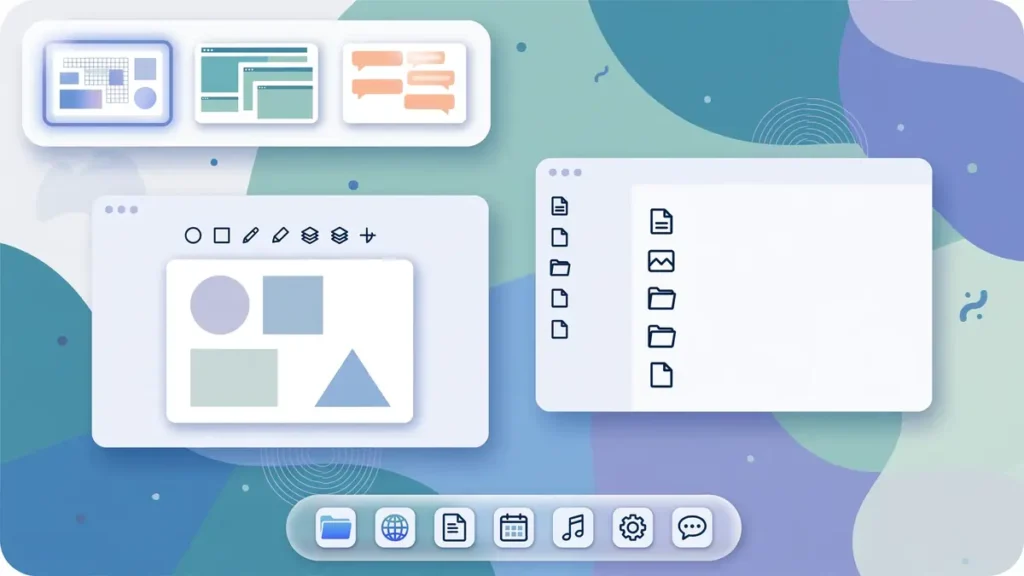
Ubuntu 26.04 LTS ships GNOME 50, with improved parental controls, a much improved Orca screen reader, a new Reduced Motion option, a modernized document viewer annotation feature, and better Files and Calendar apps, according to Canonical. Date and Time settings now let you set the first day of the week, and Sound settings distinguish input and output more clearly.
GNOME 50 also improves remote desktop and display handling. The remote desktop solution gains hardware acceleration, works more stably with NVIDIA drivers, scales high resolution displays correctly, and lets you use a webcam from a remote connection. Variable refresh rate and fractional scaling support are improved, and the mouse cursor now runs smoothly at the maximum frame rate even when a game or professional app runs at a lower frame rate. Color management moves to the latest Wayland standard, and you can record or screen share monitors showing high dynamic range content.
Wayland only desktop and new default apps
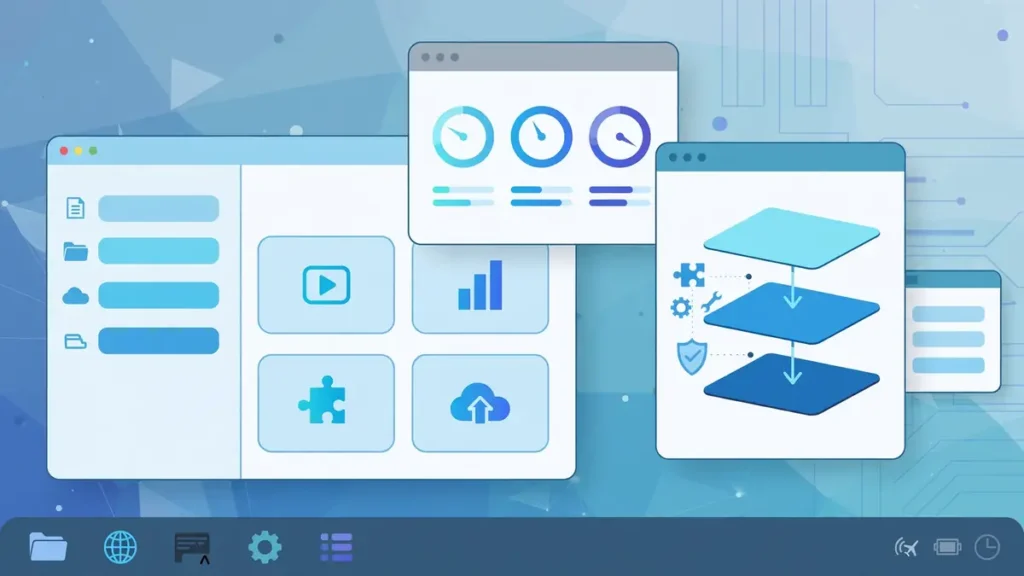
The Ubuntu Desktop session in 26.04 LTS runs only on Wayland, because GNOME Shell can no longer run as an X.org session, according to Canonical. X.org applications still run through the XWayland compatibility layer, and other desktop sessions such as KDE on X11, Xfce, MATE, and i3 can still be launched using an X.org session.
That distinction matters for planning. If you use the standard Ubuntu Desktop session, you will be on Wayland after the upgrade, whether you chose it or not. Most everyday apps work through XWayland without special steps, but screen sharing, remote desktop, and some older tools that assumed an X.org session deserve a test before you upgrade a work machine. Test graphics, screen sharing, and any accessibility tool you rely on, because Wayland handling differs from X.org in those areas.
Default apps also change. The document viewer is now Papers instead of Evince, the image viewer is Loupe instead of Eye of GNOME, the terminal is Ptyxis instead of GNOME Terminal, the system monitor is Resources instead of System Monitor and Power Statistics, and the default video player is Showtime instead of Totem. Resources groups processes into apps and tracks GPU, neural processing unit, and hardware statistics, which is a step up from the older System Monitor for users who watch performance closely.
Search, accessibility, theme and snap integration

Ubuntu 26.04 LTS adds GNOME Shell search providers for snap applications and for web search, improves accessibility in Ubuntu extensions, moves the Yaru theme closer to the upstream GNOME theme, and improves integration with snap applications, according to Canonical. Each change is small on its own, but together they change how the desktop feels day to day.
The snap search provider lets global search find available snap applications that match your search, and the web search provider lets you start a web search with your default browser from the overview. Both can be turned off in the Search panel of Settings, if you prefer a quieter search. Snap apps that use XDG Desktop Portals are also better integrated: you can open files in any path with other desktop applications, use camera, notification, and USB portals, and control snap portal permissions in GNOME Settings.
Server changes: OpenSSH, Chrony, PHP and databases

Ubuntu 26.04 LTS updates OpenSSH to 10.2p1, with a hybrid post quantum key exchange by default and DSA support removed. Chrony becomes the default time daemon on new installs, PHP moves to 8.5, and MySQL moves to 8.4 LTS. Check SSH, database, and mail configurations before upgrading production servers.
Chrony is now the default time daemon for new installations, replacing systemd-timesyncd, and Chrony 4.8 adds support for limiting unreachable sources and fixes refclock handling on newer kernels. Existing systems that upgrade need to migrate by hand if they want Chrony, using the commands in Canonical’s notes, and they should check for duplicate time server entries if they edited chrony.conf before. PHP moves to 8.5, with property hooks, asymmetric visibility, a new URI extension, a pipe operator, and array_first and array_last functions. MySQL moves to 8.4 LTS, starting with 8.4.8 in 26.04 LTS, and MySQL 8.4 deprecates the mysql_native_password plugin, with accounts using that method locked out by default.
Database and mail changes need the same care as SSH. Samba moves to 4.23, with SMB3 Unix Extensions enabled by default and NetBIOS disabled by default for fresh installs. Dovecot moves to 2.4.2, with a changed configuration format that requires following Dovecot’s upgrade documentation from 2.3. Test database authentication, mail delivery, and file sharing on a staging server before upgrading a production machine, because these are the changes most likely to break an old configuration silently.
Containers, virtualization and developer packages

Ubuntu 26.04 LTS updates containerd to 2.2.2, runc to 1.4.0, and Docker to 29, with a new hardware enablement virtualization stack. The containerd image store is now the default for fresh Docker installs, with stated exceptions. Test container hosts and virtualization settings before upgrading production machines.
Docker 29 includes breaking changes, and its image listing output changes to a new collapsed tree view by default. Containerd 2.2.2 removes features deprecated in the 1.x series, so expect breaking changes if you upgrade a container host from an older containerd. Runc 1.4.0 changes pids.limit handling, so a limit value of 0 is now treated as an actual limit, matching newer runtime guidance. Those three details affect only hosts that set those options explicitly, but they are worth checking in container and orchestration configurations before an upgrade.
The virtualization stack uses new hardware enablement packages for QEMU, libvirt, SeaBIOS, and EDK2, which start close to the base packages and move to newer releases twice a year. Using the hardware enablement kernel and virtualization stack together is recommended but not a strict requirement, according to Canonical. For developers, GStreamer moves to 1.28, Django moves to the 5.2 long term support release from 4.2, and ClamAV moves to 1.4.3, with new attachment and archive handling. Check application compatibility for Django and GStreamer first, because major version jumps in those packages can change behavior.
Security and system changes under the desktop

Ubuntu 26.04 LTS switches image loading in many applications to the sandboxed glycin parser, adds fingerprint improvements, adds graphical controls for Ubuntu Insights consent, and removes GNOME PreLogin and PostSession scripts, according to Canonical. Those changes improve security and control, but the script removal needs attention in managed environments.
Sandboxed image loading affects around 700 packages that rely on the gdk-pixbuf library. Previously, that library used built in parsers for image data. In 26.04 LTS, it uses glycin, which is written in Rust and loads images in a sandbox, preventing certain categories of security issues found in older parsers. Canonical says the switch happens seamlessly for most packages, so everyday image viewing should not change, but applications that relied on unusual image formats or custom parsers deserve a test.
Upgrade path from 24.04 LTS and before you upgrade

Upgrading from 24.04 LTS to 26.04 LTS brings all interim release changes plus the final 26.04 changes, so plan the upgrade as a major move, not a routine patch. Back up important files first, update the current system fully, and test the upgrade on a spare machine or virtual machine before touching a production desktop or server.
Check the items most likely to break. Test Wayland session behavior, screen sharing, and accessibility tools on the desktop. Check SSH key types and authentication, because DSA support is removed and post quantum key exchange warnings will appear. Check database authentication, especially MySQL accounts using mysql_native_password, and check Dovecot, Samba, and PHP configurations against their new versions. Check VPN and third party repositories, and confirm that any third party package you rely on has a 26.04 version.
Keep install media nearby until daily work is tested, and do not upgrade on a deadline day. If the machine is critical, clone the disk or take a snapshot first, so you can return to 24.04 LTS if a key application fails. Readers weighing other operating system releases can compare with our Windows 11 25H2 guide at https://technewsnest.com/windows-11-25h2-what-changed/, our Android 16 guide at https://technewsnest.com/android-16-what-changed/, and our Samsung One UI 8 guide at https://technewsnest.com/samsung-one-ui-8-what-changed/.
Who should upgrade now, and who should wait

Most current Ubuntu users on supported hardware can upgrade after a backup and checks for SSH, database, and Wayland sensitive tools, while users with critical servers, unusual hardware, or managed login scripts should test first or wait briefly before moving a main machine. The desktop changes are mature, but the server and session changes reward testing.
Desktop users with standard hardware, current apps, and no X.org dependent workflow have a clear case to upgrade. GNOME 50, the new default apps, and the updated Firefox, LibreOffice, and Thunderbird versions are all current, and the Wayland session is now the standard path. Developers who need PHP 8.5, Django 5.2, or current container tooling also have a reason to move, as long as their projects are tested against those versions.
Ubuntu 26.04 LTS vs Fedora 45: two Linux desktops, two speeds
Ubuntu 26.04 LTS and Fedora 45 both ship a Wayland desktop and current server tools, but they move at different speeds. Ubuntu collects two years of changes into one long term support release, while Fedora 45 ships the newest GNOME and toolchain. Pick Ubuntu for a machine you want to leave alone, and Fedora for the newest desktop first.
| Item | Ubuntu 26.04 LTS | Fedora 45 |
|---|---|---|
| Desktop default | GNOME 50 | GNOME 51 on Workstation; Plasma 6.8 on the KDE edition |
| Wayland | Ubuntu Desktop runs only on Wayland; X.org apps run through XWayland | Plasma 6.8 retires native X11 sessions; X11 apps still run through XWayland |
| Release model | Long term support release, collecting interim releases 24.10, 25.04, and 25.10 | Regular release, announced November 3, 2026 |
| Server stack | OpenSSH 10.2, Chrony, PHP 8.5, MySQL 8.4 LTS | RPM signature checking enforced, Sequoia OpenPGP, IPv6 mostly networking |
| Developer tools | Django 5.2 LTS, GStreamer 1.28, ClamAV 1.4.3 | GCC 16.2, Go 1.27, LLVM 23, Python 3.15, Podman 6 |
| Installer and storage | Standard installer; image loading sandboxed with glycin | Anaconda installer with Stratis pools, snapshots, and encryption |
| Upgrade risk to check first | Wayland tools, SSH keys, MySQL passwords, Dovecot and Samba configs | Third party repos, retiring VPN plugins, X11 desktop sessions |
| Best fit | A desktop or server you want stable for years | A desktop where you want the newest GNOME, Plasma, and toolchain now |
The two releases point in the same direction, and that is the useful finding. Both make Wayland the standard desktop path, both retire old X11 pieces, and both tighten security defaults. The difference is speed. Fedora 45 ships GNOME 51 while Ubuntu 26.04 ships GNOME 50, and Fedora 45 ships GCC 16.2 and Go 1.27 while Ubuntu 26.04 ships Django 5.2 and PHP 8.5. A reader who wants the newest desktop first should test Fedora 45, and a reader who wants a machine that stays unchanged for years should test Ubuntu 26.04. Readers comparing the two can read our Fedora 45 guide.
How Ubuntu 26.04 fits the wider OS news cycle

Ubuntu 26.04 LTS lands in a busy season for operating systems, with Windows, Android, and Samsung releases all changing desktops and system behavior, while Ubuntu focuses more on the desktop session, security defaults, and current server packages underneath the desktop. That difference in focus helps explain why the release notes read like a parts list in places.
The comparison is useful because priorities differ. Windows and mobile releases often center on user facing features and device support, as covered in our Windows and Android guides linked above. Fedora’s recent release, covered in earlier TechNewsNest work, also centers on Wayland and security defaults, which makes it a closer comparison for desktop Linux users than a phone release. Ubuntu 26.04 shares that direction, with a Wayland only desktop session, sandboxed image loading, and a modern server stack.
For a desktop Linux user choosing between staying on 24.04 LTS and moving to 26.04 LTS, the question is not whether GNOME 50 looks different. It is whether Wayland, the new default apps, and the updated toolchains fit your daily work, and whether your SSH, database, and login scripts survive the move. Answer those questions on a test machine first, and the upgrade decision becomes straightforward.
Frequently asked questions
What is Ubuntu 26.04 LTS?
Ubuntu 26.04 LTS, codenamed Resolute, is a long term support release from Canonical. It collects changes from the interim releases between 24.04 LTS and 26.04 LTS, plus the newest changes since 25.10.
What desktop does Ubuntu 26.04 LTS use?
Ubuntu 26.04 LTS uses GNOME 50. The Ubuntu Desktop session runs only on Wayland, because GNOME Shell can no longer run as an X.org session, although X.org applications still run through XWayland.
What are the new default apps in Ubuntu 26.04 LTS?
The document viewer is Papers instead of Evince, the image viewer is Loupe instead of Eye of GNOME, the terminal is Ptyxis instead of GNOME Terminal, the system monitor is Resources instead of System Monitor, and the video player is Showtime instead of Totem.
What changed for servers in Ubuntu 26.04 LTS?
OpenSSH moves to 10.2p1 with a hybrid post quantum key exchange by default and DSA support removed. Chrony becomes the default time daemon on new installs, PHP moves to 8.5, MySQL moves to 8.4 LTS, and Samba moves to 4.23.
Can I still run X.org applications on Ubuntu 26.04 LTS?
Yes, for applications. X.org applications run through the XWayland compatibility layer in the Ubuntu Desktop session. Other desktop sessions, such as KDE on X11, Xfce, and MATE, can still use an X.org session.
Should I upgrade from Ubuntu 24.04 LTS right away?
Upgrade after a backup and checks for Wayland tools, SSH keys, database authentication, and managed login scripts. If your machine is critical, test the upgrade on a spare machine or virtual machine first.
What was removed in Ubuntu 26.04 LTS?
GNOME PreLogin and PostSession scripts were removed as part of X11 code cleanup. Canonical suggests reimplementing that behavior with PAM session modules such as pam_exec, for managed environments that relied on those scripts.
Sources
- Canonical, Ubuntu 26.04 LTS summary for LTS users: https://documentation.ubuntu.com/release-notes/26.04/summary-for-lts-users/
- Canonical, Ubuntu 26.04 LTS changes since 25.10: https://documentation.ubuntu.com/release-notes/26.04/changes-since-previous-interim/