

If your WhatsApp groups feel hard to follow, you are not alone. A family, work, or school group can collect hundreds of messages in a day, and the message you need is often buried in the middle. On October 29, 2026, WhatsApp announced four changes to make group chats easier to manage, when you return after being away. This guide explains them in plain English, shows how each one works, and notes where a feature is rolling out gradually.
What Did WhatsApp Announce on October 29, 2026?

WhatsApp announced four new group chat features on October 29, 2026: permanent message pins, the ability to share chat history after someone joins, group-specific Status updates, and a new filter for mentions and replies. Together, they are meant to help people catch up faster, keep important information visible, and find conversations that need their attention.
The announcement matters because it focuses on everyday group problems, not on a completely new kind of chat. Most people do not need another app or a complicated setting. They need a way to find a meeting link, a set of rules, or a reply that mentioned them, without scrolling for a long time. WhatsApp’s four updates each address one of those problems. Permanent pins solve the problem of important messages disappearing after a set time. History sharing solves the problem of a new member joining without context. Group Status gives a group its own shared space for short updates. The mentions filter solves the problem of unread messages piling up across many groups.
Reports say the features are rolling out gradually to Android and iOS users, so two people in the same group may not see the same options on the same day. A missing feature does not necessarily mean your app is broken. It may mean the rollout has not reached you yet.
How Do Permanent Pins Work in Group Chats?

Permanent pins let you keep an important message pinned in a group chat without choosing an expiry date. Previously, pinned messages had to expire after 24 hours, seven days, or 30 days. Now, you can keep a message pinned indefinitely, so it stays easy to find until someone unpins it.
Pins are useful for information that does not go stale quickly. Think of a group rule, a standing meeting link, a payment detail for a residents’ group, or an address for a regular event. Before this change, that kind of message would eventually unpin itself, even if people still needed it. You would then have to search for it again or ask someone to repost it. A permanent pin removes that repeated work, at least for the message you choose to keep at the top.
To use a pin, long-press a message and choose the pin option, then pick how long it should stay pinned. The new choice includes no expiry. Still use pins sparingly: a pin helps because it stands out, and if a group pins too many messages, people may stop checking them.
How Can You Share Chat History After Someone Joins?
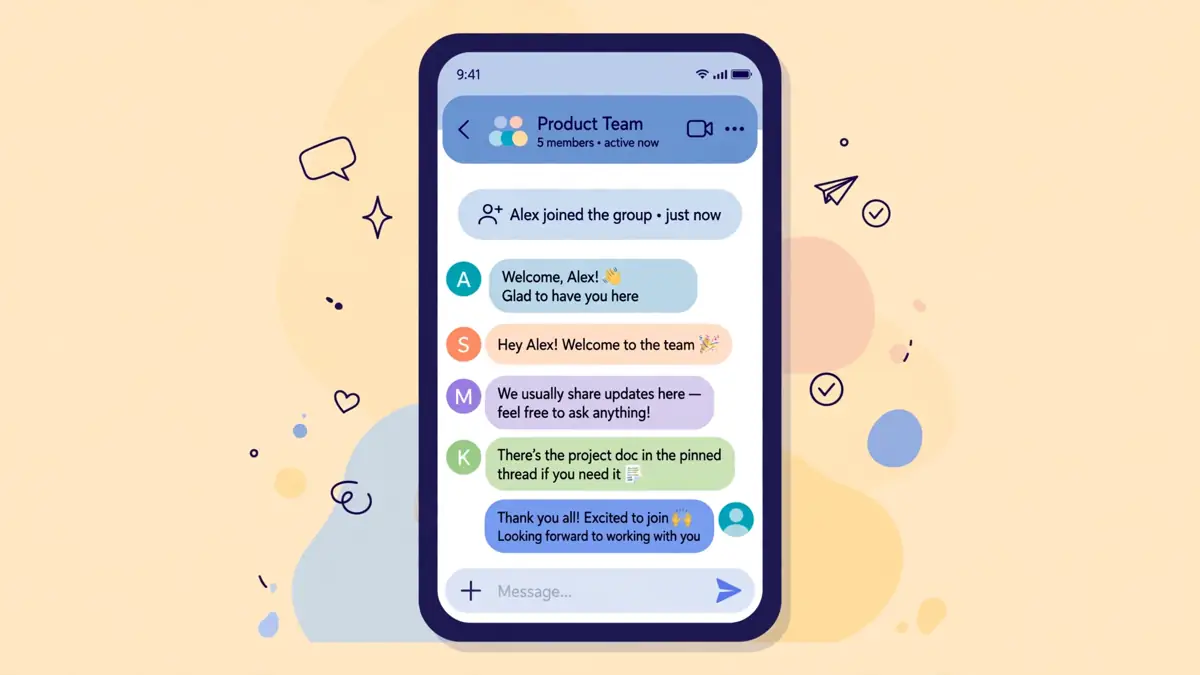
WhatsApp now lets you share recent chat history with a new group member after they have already joined. Earlier, you could share recent messages at the moment you added someone. With this update, you can also send that history later by tapping the new member’s name in the chat and choosing the sharing option.
This change is practical for real groups. People are often added quickly, in a hurry, or by someone else, and the person who adds them may forget to share history at that moment. Later, the new member may ask what was decided, or may miss an important announcement from before they joined. Instead of copying messages one by one, or asking the new member to scroll back, a group member can now share recent history after the fact. Reports of the update say the shared messages remain end-to-end encrypted, which is an important detail for groups discussing personal or sensitive plans.
There are still sensible limits to keep in mind. Sharing history should be done thoughtfully, especially in groups where earlier messages contain personal details. Just because you can share history does not mean you always should. If the earlier conversation includes private information, check with the people involved first. For most everyday groups, however, this feature should make onboarding simpler and reduce repeated questions about what was already decided.
What Are Group-Specific Status Updates?

Group-specific Status updates let you share a Status post with only one particular group, rather than with all of your contacts. Members of that group can view the update, react to it, and add their own updates. Like a regular WhatsApp Status post, it disappears after 24 hours.
This is different from posting a message in the group chat itself. A chat message stays in the conversation history and can be searched later. A Status update is temporary and more casual. It fits a quick photo, a short note, or a moment from an event that only that group would care about. For example, a family group might share photos from a gathering, or a sports team might share a quick update after a match, without sending that update to every contact in your address book.
The key benefit is audience control. Many people hesitate to post a Status update because they do not want all their contacts to see it. By limiting the update to one group, WhatsApp gives you a smaller, more trusted audience. That said, you should still treat a group Status update as visible to everyone in that group. Anyone in the group can view it and react, so do not post anything you would not want shared more widely within that group.
How Does the New Mentions and Replies Filter Work?

The new Mentions and Replies filter collects unread group chats where you were mentioned, received a direct reply, or were included through an @all mention. Instead of opening each group to check whether a message was for you, you can use the filter to find the conversations that actually need your attention first.
This feature addresses one of the most common frustrations with group chats: notification overload. When you belong to several active groups, the number of unread messages can feel overwhelming. Many of those messages are general conversation that does not require a response from you. The messages that do require your attention are often the ones where someone tagged you, answered your question, or used @all to notify everyone. By surfacing those chats together, the filter helps you prioritize.
Look for the Mentions and Replies filter in your chat list once it appears. It shows unread group conversations that match those conditions. It does not delete anything; it simply gives you a faster starting point when you return after a break.
Who Gets These Features First, and When?

These features are rolling out gradually to WhatsApp users on Android and iOS, so availability may vary by user, device, and region. WhatsApp has not presented this as a single-day switch for everyone. Some users may see the new options within days of the announcement, while others may need to wait longer as the rollout continues.
A gradual rollout is normal for large apps, allowing WhatsApp to check for problems before a feature reaches everyone. A difference between friends is usually a rollout difference, not a sign you need a different phone or a paid version.
If you want to be ready, keep your WhatsApp app updated through the official app store for your device. Do not install modified versions of WhatsApp or unofficial APK files to try to get a feature early, because those versions can put your account and messages at risk. The safest approach is to update through the Google Play Store or Apple App Store, check again after a few days, and use the steps later in this article if the feature still does not appear.
How Do You Use Each Feature Step by Step?

You can use these features with WhatsApp’s normal controls, once they appear on your device. For a permanent pin, long-press a message, choose Pin, and select no expiry. If that option is missing, your device may not have received the update yet.
For sharing history after someone joins, open the group chat, tap the new member’s name, and look for the option to share recent chat history. Use it only when the history is relevant and appropriate to share. For a group Status update, create a Status post and choose the specific group as its audience, rather than sharing it with all contacts. Remember that it will disappear after 24 hours, just like a regular Status post.
For the Mentions and Replies filter, open your chat list and look for the filter option once it is available. Tap it to see unread group chats where you were mentioned or received a reply. From there, open each conversation, read the relevant message, and reply if needed. If a filter option is missing, do not change your phone settings in a panic. Update WhatsApp, restart the app, and check again later, because gradual rollouts can take time.
What Do These Changes Mean for Privacy and Control?
These changes give you more control, but they also require care. Permanent pins make information easy to find, and shared history can reveal earlier conversations. Group Status is limited to one group, but members can still screenshot it. Use each feature deliberately, not automatically.
Sharing chat history after someone joins is similarly useful, but it should be used with consent in mind. Earlier messages were written for the people who were in the group at that time. Sharing them with a new member can be helpful, but it can also reveal personal conversations. In family and work groups, a quick check with other members can prevent an awkward situation. WhatsApp’s end-to-end encryption for shared messages is reassuring, but encryption does not decide whether sharing is socially appropriate.
Group Status updates offer better audience control than a public Status post, because only that group sees the update. Even so, group members can take screenshots or mention the update outside the group. The safest rule remains simple: share only what you would be comfortable with every member of that group seeing, and remember that a 24-hour expiry does not guarantee a post is forgotten.
What Has Not Changed in WhatsApp Group Chats?

These updates do not change the basic way WhatsApp groups work. You still join, message, react, reply, and leave groups as before. They add options on top of that familiar structure, and they do not remove the need for basic group manners or careful sharing.
It is also important not to confuse this announcement with separate beta tests. For example, reports published alongside this announcement mentioned profile cover photos being tested with a limited group of Android beta testers. That is not one of the four general group features announced on October 29, 2026, and it should not be presented as available to everyone. Keeping announced features and beta tests separate helps readers avoid confusion and disappointment.
Finally, these changes do not guarantee that every group will become easier to manage on its own. A group with unclear rules, too many off-topic messages, or too many pins can still feel chaotic. The new tools work best when groups use them deliberately: pin only what matters, share history when it helps, use group Status for casual updates, and use the mentions filter to catch up efficiently.
What Should You Check If You Do Not See the New Features Yet?
First, update WhatsApp from your official app store, then close and reopen it. If the feature is still missing, wait a few days, because the rollout is gradual. Do not install unofficial WhatsApp versions or pay anyone to unlock it.
Do not install unofficial versions of WhatsApp, do not pay anyone to unlock the feature, and do not change your phone’s region or account settings just to chase an early rollout. Those steps can risk your account, your messages, or your device security, and they are not necessary for a normal feature rollout. If you are in a group where another member already has the feature, you can still read pinned messages, view group Status updates, and receive shared history, even if your own controls for creating those items have not arrived yet.
If weeks pass and you still do not see the features, check WhatsApp’s official help pages and your app store listing for any notes about your device or operating system version. Older operating systems sometimes limit new features, and WhatsApp has previously warned users about outdated systems. In most cases, however, patience and a normal app update are the right steps, not a risky workaround.
Frequently Asked Questions
When were WhatsApp’s new group chat features announced?
They were announced on October 29, 2026, with reports published on October 30, 2026. The features are rolling out gradually to Android and iOS users, so they may not appear for everyone on the same day.
Do I need to pay or download a new app to get these features?
No. The announcement reports do not describe a paid version or a separate app. You should update the regular WhatsApp app through the Google Play Store or Apple App Store and wait for the gradual rollout to reach your account.
How is a permanent pin different from a regular pin?
A regular pin previously expired after 24 hours, seven days, or 30 days. A permanent pin has no expiry date, so it stays pinned until someone unpins it. It is best used for information that remains useful over time, such as group rules or a standing meeting link.
Can I share chat history with someone who joined a group earlier?
Yes, that is one of the new features. You can now share recent chat history after a person has already joined, by tapping their name in the group chat and choosing the sharing option. Use it thoughtfully if earlier messages contain personal details.
Who can see a group-specific Status update?
Only members of the group you choose can see that Status update. They can view it, react to it, and add their own updates. Like a regular Status post, it disappears after 24 hours.
What does the Mentions and Replies filter show?
It shows unread group chats where you were mentioned, received a direct reply, or were included through an @all mention. It helps you find conversations that need your attention first, without opening every group.
Is the Android profile cover photo part of this update?
No. Profile cover photos were reported separately as a limited test for select Android beta testers. They are not one of the four general group features announced on October 29, 2026, and no wider release date was announced in those reports.
References and Further Reading
- NDTV Profit: WhatsApp users get a new way to catch up on group chats — https://www.ndtvprofit.com/technology/whatsapp-users-get-a-new-way-to-catch-up-on-group-chats-heres-how-it-works-12259404/amp/1
- ETV Bharat: WhatsApp rolls out new group chat features — https://www.etvbharat.com/en/technology/whatsapp-new-features-pin-messges-forever-update-group-status-mentions-filter-message-history-new-members-enn26103007531
- Sportskeeda Tech: WhatsApp makes group chats easier to manage with four new features — https://tech.sportskeeda.com/mobiles/news-whatsapp-makes-group-chats-easier-manage-four-new-features
- News9Live: WhatsApp launches four new group chat features — https://www.news9live.com/technology/tech-news/whatsapp-four-new-group-chat-features-android-profile-cover-photos-3020345
- WABetaInfo News: https://wabetainfo.com/news/
Last verified: October 31, 2026. Features are rolling out gradually; availability may vary.